Talking Text5.0
Publisher Description
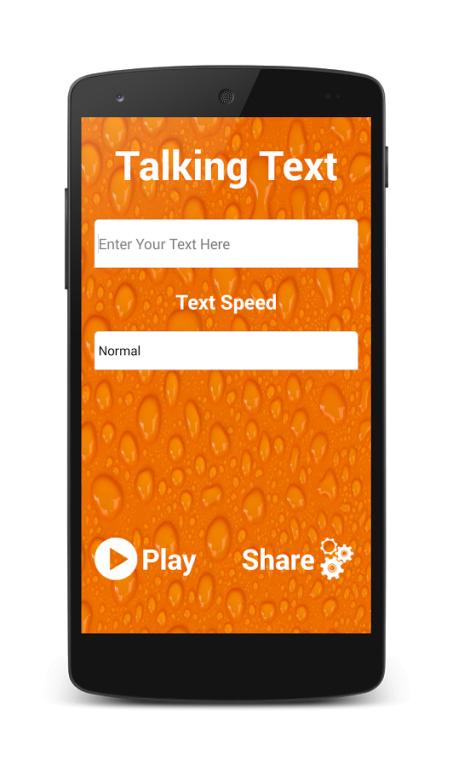
Talking Text powers applications to read the text on your screen aloud. For example, it can be used by:
text to speech free
free text to speech
free text to speech online
speech to text free
text to speech free online
text to speech online free
tts
tts demo
tts engine
free tts
tts text to speech
tts software
tts mp3
text to speech voices
text to speech voice
text to speak
speak text
• TalkBack and accessibility applications for spoken feedback across your device
Talk lets you convert text to voice using the Talking Text engine on your smartphone.
text to voice converter
voice to text converter
text to speech converter
speech to text converter
voice generator
text to speech mp3
text to mp3
text to speech online mp3
convert text to audio
tts voices
Make your phone say anything you want in many languages! Let your phone read the news for you!
With this app you can spend spoken text. Just enter the text and the app speaks it for you.
The app support all on your device available languages.
from text to speech
text speech
speech text
text 2 speech
text to speech program
voice to text
text to voice
voice text
type and speak
type to speak
speak what i type
text to speech mp3
text to mp3
text to speech online mp3
voice maker
Languages supported: Cantonese, Dutch, English (India), English (United Kingdom), English (United States), French, German, Hindi, Italian, Indonesian, Japanese, Korean, Mandarin, Polish, Portuguese (Brazil), Russian, Spanish (Spain), Spanish (United States), Thai and Turkish.
Furthermore, you can save it to let it speak anytime you needs.
Have fun
About Talking Text
The company that develops Talking Text is Wellwisher Production. The latest version released by its developer is 5.0.
To install Talking Text on your Android device, just click the green Continue To App button above to start the installation process. The app is listed on our website since 2016-06-13 and was downloaded 23 times. We have already checked if the download link is safe, however for your own protection we recommend that you scan the downloaded app with your antivirus. Your antivirus may detect the Talking Text as malware as malware if the download link to com.wellwisher.talkingtext is broken.
How to install Talking Text on your Android device:
- Click on the Continue To App button on our website. This will redirect you to Google Play.
- Once the Talking Text is shown in the Google Play listing of your Android device, you can start its download and installation. Tap on the Install button located below the search bar and to the right of the app icon.
- A pop-up window with the permissions required by Talking Text will be shown. Click on Accept to continue the process.
- Talking Text will be downloaded onto your device, displaying a progress. Once the download completes, the installation will start and you'll get a notification after the installation is finished.
